How To Set Up A Small Home Office Near A Window
A practical step-by-step guide to how to set up a small home office near a window, including preparation, instructions, common issues, tips, and next steps.
How To Set Up A Small Home Office Near A Window
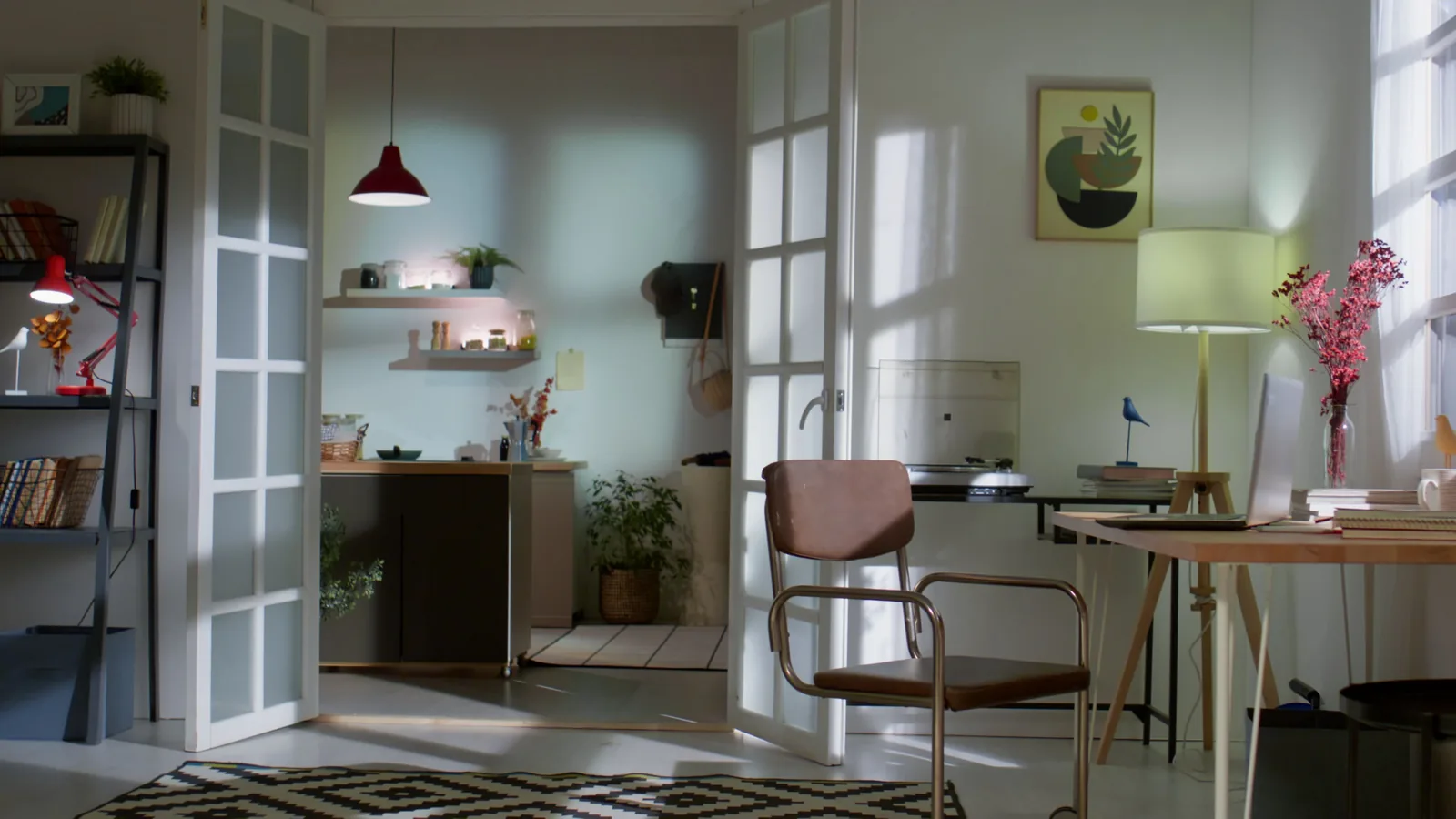
Setting up a small home office near a window can boost your mood, energy, and productivity by providing natural light and a view. However, it also introduces challenges like glare, temperature swings, and distractions. This guide walks you through choosing the right spot, positioning your desk and screen to minimize eye strain, managing light with curtains or blinds, controlling temperature and noise, and organizing your belongings to keep the space tidy and focused. You'll learn practical steps to create a comfortable, efficient workspace that works with the window, not against it. With a few adjustments, your window-side office can become your favorite place to work.
Fast Answer
- Position your desk so the window is to your side, not behind your screen, to reduce glare and eye strain.
- Use adjustable curtains or blinds to control natural light and add a desk lamp for evening or cloudy days.
Before You Start
- Measure the window area and room dimensions to decide the best desk size and placement that leaves at least 3 feet of walking space.
- Gather adjustable window coverings like blinds, sheer curtains, or a tension rod with curtains to manage light as needed.
- Set aside an anti-glare screen filter or a matte monitor if your screen is reflective, and have a small cloth for cleaning.
- Collect desk organizers, cable clips, and a small tray to keep essentials within reach without cluttering the windowsill.
Step-by-Step Instructions
Measure and choose your window-side spot
Start by measuring the width and height of your window and the floor area around it. You want a spot that gives you enough room for a desk and chair without blocking the window fully. A good rule is to place the desk so that the window is on your left or right side (if you're right- or left-handed, put the light on the opposite side to avoid shadows on your work). Measure the depth of the windowsill too—if it's shallow, you may need a separate desk. Also check the direction the window faces: east-facing windows get bright morning sun, west-facing get harsh afternoon light, and north-facing provide steady, softer light. Knowing this helps you plan your shade strategy. Finally, ensure there's a power outlet nearby for your lamp, computer, and phone charger. If not, use a grounded extension cord (check the rating). Once you've selected the spot, clear the area and make sure you can comfortably open and close the window for fresh air.
Position your desk to avoid glare
The most common mistake is placing the desk so that the window is right behind your monitor, which blasts light into your eyes and creates a harsh silhouette. Instead, put the desk perpendicular to the window, so the window is to the side. If possible, place the desk so that the window is on the same side as your dominant hand—for right-handed people, have the window on the left to prevent shadows while writing. Now adjust your monitor: it should be at arm's length, with the top of the screen at or slightly below eye level. Tilt the screen slightly upward to avoid reflections from the window. If you have a laptop, use a stand to raise the screen. Also, close the curtains or blinds partially to cut glare, but keep some light for ambiance. After setting up, sit in your chair and check for reflections on the screen from the window; if you see any, adjust the angle or move the desk a few inches. This quick check saves your eyes from strain.
Manage natural light with layers
Use a combination of window coverings to control light throughout the day. Install a top-down/bottom-up blind if possible, because it lets you adjust light from the top while keeping privacy at the bottom. Alternatively, use a sheer curtain that filters harsh sunlight, paired with a heavier curtain for full blockage when needed. If you have a south-facing window, consider a light-filtering shade that blocks UV rays to prevent fading of your furniture. During bright hours, you might want to close the blinds halfway and use a desk lamp for task lighting. For cloudy days or the evening, have a lamp with a warm or neutral bulb to keep your workspace well-lit. Also, remember to open the curtains fully in the morning to let in vitamin D, which boosts alertness. The key is flexibility: adjust coverings as the sun moves so your screen stays readable and your eyes stay comfortable. Test different positions at 9am, noon, and 4pm to see what works.
Set up your desk layout and cables
Arrange items you use most—keyboard, mouse, notebook, and phone—within a comfortable reach (about 15-18 inches from your body). Keep the center of your desk clear for writing or reading. Place your computer tower (if you have one) on the floor or a stand to save space, and use a cable management tray or clips to keep cords off the floor. Run cords along the edge of the desk, not in the middle, and use a surge protector. The windowsill can hold a small plant, a cup of pens, or a lamp, but avoid stacking papers there because direct sunlight can fade them. Additionally, make sure your chair is adjusted so your feet are flat on the floor and your elbows are at a 90-degree angle. If your desk is too shallow, push it slightly away from the wall to give room for cable boxes. Finally, label your cords or use colored tape so you know which is which when you need to unplug.
Control temperature and air flow
Windows can make your workspace too cold or too hot. In winter, cold air may seep through the glass, so insulate the window with a clear plastic film or use heavy curtains to trap air. In summer, direct sun heats the room, so close blinds during peak hours and use a fan to circulate air. If your window has a draft, check the weatherstripping; you can apply new draft blockers that are available at home improvement stores (follow the package instructions). Ventilation is also important: open the window briefly to bring in fresh air, but do it when it won't disturb your papers or increase noise. Place a small inside thermometer on the windowsill to monitor temperature, and adjust your clothing or room thermostat accordingly. Also, avoid placing the desk directly against a radiator or heater, as it can make the area stuffy. Steady temperature helps you stay focused, so make sure your workspace is consistent throughout the day.
Add finishing touches for comfort and focus
Now personalize your space to make it inviting and effective. Add a plant on the windowsill—it thrives near a window and improves air quality. Use a desk mat or mousepad with wrist support to reduce strain. Keep a water bottle within reach but not on the desk if you're worried about spills. Minimize visual clutter by using a drawer or bins for papers and supplies. You might also add a white noise machine or a plant that sways to mask street sounds, but be aware of your own concentration limits. Place a family photo or a small art piece that makes you happy, but don't overdo it. Also, consider the chair: is it comfortable for long hours? If not, add a cushion or lumbar pillow. Finally, do a test: work for two hours and note any discomfort in your neck, eyes, or back, then adjust accordingly. After you refine, you'll have a cozy, productive corner.
Quick Reference
| Situation | Action | Why it helps |
|---|---|---|
| Glare on the screen from the window | Turn your desk 90 degrees so the window is to the side, and lower the blinds halfway to diffuse the light. | Side lighting reduces direct exposure, while partial covering softens brightness without sacrificing all natural light. |
| The room gets too hot in the afternoon | Close the curtains during peak sun hours (usually 2-5 p.m.) and use a fan with a bowl of ice to cool the air. | Blocking direct heat and adding simple airflow keeps the temperature stable, so you don't feel sleepy or uncomfortable. |
| You feel a cold draft in winter | Add a draft stopper at the bottom of the window and use a heavier curtain to insulate the glass area. | Sealing leaks and adding a thermal barrier raises the air temperature near you, preventing chills and improving focus. |
Common Issues
- Reflections on the screen that make it hard to read: Reposition your monitor or desk so the window is not directly behind or in front of you, and tilt the screen slightly downward. If that doesn't work, install a matte anti-glare filter or use a hood on the monitor.
- The desk area gets too bright during certain hours, causing eye fatigue: Install layered window coverings, like sheer plus blackout curtains, and adjust them as the sun moves. Also add a desk lamp with a dimmer to control task lighting. If possible, move your desk a few feet away from the window to reduce intensity.
- Temperature swings that make you uncomfortable throughout the day: Monitor the temperature in the morning and afternoon. Use a small smart plug to control a fan or space heater (check the manufacturer's instructions). Make sure your curtains have a reflective backing to block heat, and seal any gaps with weatherstripping.
Advanced Tips
- Use a lux meter app on your phone to measure light levels at your desk; aim for 300-500 lux for computer work, and adjust your blinds or lamp accordingly for optimal contrast without strain.
- Consider a monitor arm that lets you pull the screen closer when the sun is bright and push it away when light is low, giving you quick ergonomic adjustments.
- Paint your window wall a light, matte color to reduce glare and bounce natural light deeper into the room, while a darker interior wall behind you can increase screen contrast.
Final Checklist
- Desk is positioned so the window is to the side, never behind the screen, and you can see the window without twisting your neck.
- You can adjust your window coverings easily from your seat to control light at all times of day.
- A desk lamp provides even lighting for tasks, and the screen has no noticeable reflections.
- You've tested the setup for two hours and feel no eye, neck, or back strain, and the temperature remains comfortable.
FAQ
What if my desk is too shallow to place the monitor correctly?
If your desk is less than 24 inches deep, use a monitor stand or wall-mounted arm to bring the screen closer to the front. You can also place the monitor on a separate rolling cart or a keyboard tray to free up space. Another solution is to use a laptop stand and an external keyboard/ mouse. Always ensure the top of the screen is at or below eye level. If the desk is still too small, consider a corner desk to give you more depth.
How can I prevent my papers from fading in the sun?
Keep documents you don't need immediately in drawers or closed folders rather than on the desk. If you must have papers out, place them in a tray with a lid or under a heavy book. Use blinds to diffuse direct sunlight, and if you have a home printer, store paper in a box. Also, use a UV-filtering film on the window, which is easy to apply and reduces fading without blocking all light.
Is it better to face the window or have it behind me?
Facing the window can be tempting, but it creates strong glare on your screen and may cause eye fatigue. Having the window behind you creates a shadow on your work and can cause reflections. The best setup is to have the window to the side, with your body facing the room. If you have no choice, use a dark curtain and a good desk lamp. Always prioritize reducing glare and maintaining a comfortable viewing angle.